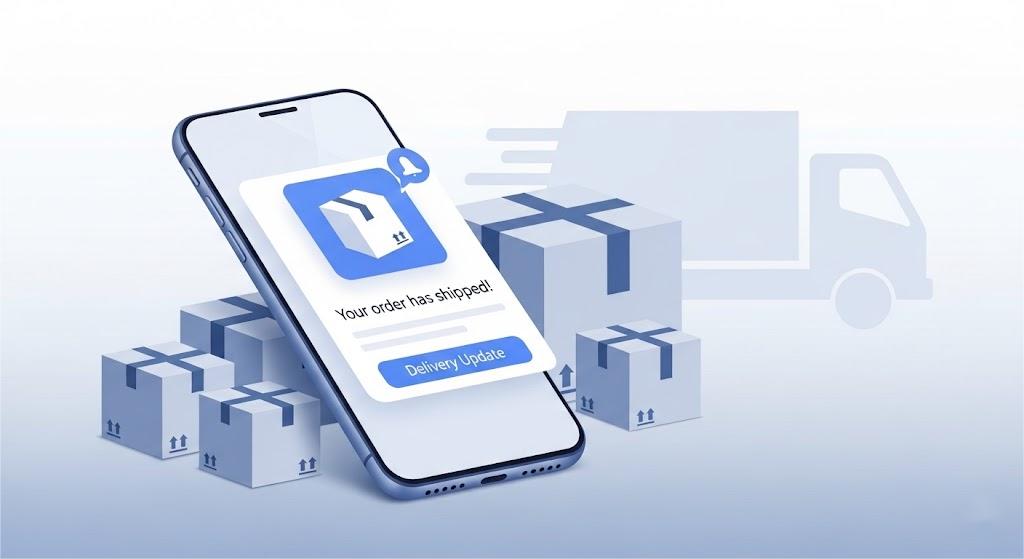
Customers often feel conflicted after ordering online. They’re excited about their purchase but also anxious about whether they’ll receive their package.
This uncertainty often leads to repetitive order tracking checks and an influx of “Where Is My Order?” (WISMO) inquiries that strain your support team.
Shipping notifications solve this by keeping customers informed at every step. This proactive communication reduces uncertainty and cuts down WISMO questions. More importantly, it builds the trust needed to turn a one-time buyer into a repeat customer.
In this guide, you’ll learn which shipping notifications matter most, what to include, and how to build workflows that reduce WISMO and improve delivery success.
What is a Shipping Notification?
A shipping notification is an automated message that provides customers with the current package status. It’s triggered by real shipping events (like when an order ships, moves through transit, goes out for delivery, or gets delivered).
Depending on your brand and workflow, it can also cover other post-purchase updates, such as order confirmation and return or refund status.
In ecommerce, merchants use carrier tracking scans to power shipping notifications, then deliver those updates through branded channels like email, SMS, or app alerts.
Why Does Shipping Notification Matter?
Shipping is one of the most highly sensitive parts of the post-purchase customer experience. Sending shipping notifications helps build trust, reduce customer anxiety, and cut down support inquiries.
Build Customer Trust Through Transparent Updates
Many customers appreciate frequent shipping updates about their packages. If you don’t provide that, they may start doubting their decision to buy from your brand.
With shipping notifications, you can automatically communicate the current shipping status. They are effective in showing your customers that you’re paying attention to their orders (and being honest about the real progress).
Reduces Buyer Anxiety with Real-time Updates
One of the reasons buyer anxiety exists is a lack of information. This can mean not knowing the package’s exact location (or status). It can also come from worrying that it will be lost or stolen during the shipping journey.
Shipping notifications can solve this. When customers receive emails or alerts as status changes, they can reduce overthinking and wait calmly for their orders.
Minimize “Where Is My Order?” Inquiries
“Where is my order?” inquiries also go down thanks to real-time shipping updates.
Your customers can get what they need without calling or sending a message to your customer support. That improves your team’s efficiency and lowers support costs.
Improve Delivery Success
Shipping notifications can also improve delivery success. When customers know a package is coming soon, they can plan ahead.
An “out for delivery” alert gives them time to be home, add delivery instructions, or choose a safer drop-off option.
This reduces missed delivery attempts and lowers the risk of theft. It can also prevent expensive return-to-sender cases. Fewer delivery issues mean fewer support tickets and fewer reshipments.
Essential Components of an Effective Shipping Notification
Like other customer communications, there are certain pieces of information that shipping notifications must have to make them effective. Here are the main components you should include:
- Tracking Information: Include the carrier name, tracking number, and a direct tracking link so customers can check progress on their own.
- Shipment Details: List the order number, shipping date, selected shipping method, and carrier. This allows your customers to know exactly which purchase the notification refers to.
- Recipient’s Information: The customer’s name, email address, phone number, and delivery address should be added for verification. Don’t forget to add your support’s contact information so they can easily reach out for help (and corrections).
- Clear Product Manifest: List the items and quantities in the shipment so customers can quickly verify what’s on the way, and your team has a clear record for inventory checks or disputes. For split shipments, break the manifest down by package and include a tracking link and ETA for each one.
- Handling and Care Instructions: For fragile or sensitive items, include brief notes such as “handle with care” or simple storage instructions to help prevent damage.
- Packaging and Disposal Info: Note any discreet or protective packaging when relevant. You can also include short disposal or recycling guidance for items like electronics, cosmetics containers, or health-related products.
12 Critical Types of Shipping Notifications to Send
From checkout to delivery, there are routine post-purchase notifications every business should send. But there are other important (and less common) situations that require specific communication, like delays, lost packages, failed delivery attempts, or returns.
Here are the 12 critical shipping notifications that cover both the common messages and the exceptions you need to handle:
1. Order Confirmation
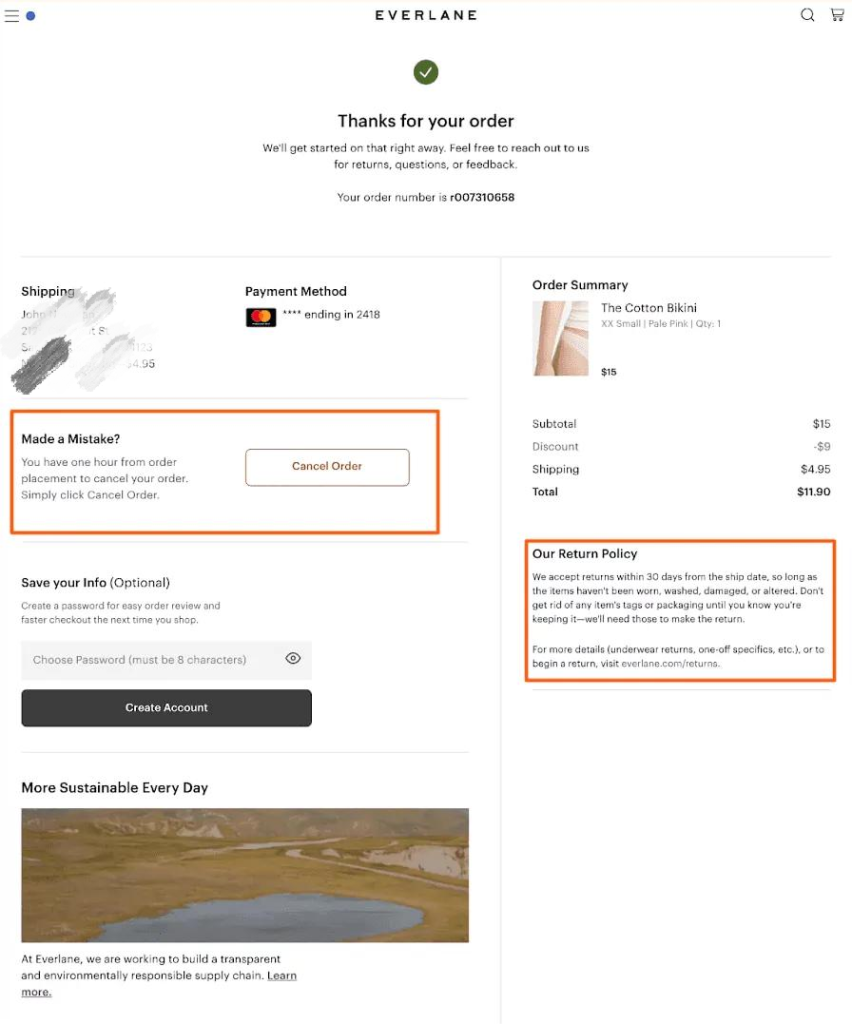
The post-purchase journey begins with the order confirmation, providing the immediate reassurance customers need after clicking “buy.” This message is what your customers expect to receive after they check out an item from your store.
It should include the order number, items purchased, shipping address, payment summary, and what’s next (i.e., when the order will be prepared and when they can expect the next update).
Template:
[Subject: We received your order!]
Hi [Customer Name],
Thanks for your order. We’ve received it and are getting everything ready.
Order #: [Order Number]
Order date: [Date]
Items ordered:
[Item Name] × [Quantity]
[Item Name] × [Quantity]
Shipping to: [Customer Name][Address][City, State, ZIP]
Payment method: [Card type ending in XXXX]
Need to make a change?
You have up to [time window] to update or cancel your order before it’s processed.
[Click here to change or cancel your order]
You’ll receive another update once your order is on the way.
Example:
2. Order Shipped Confirmation
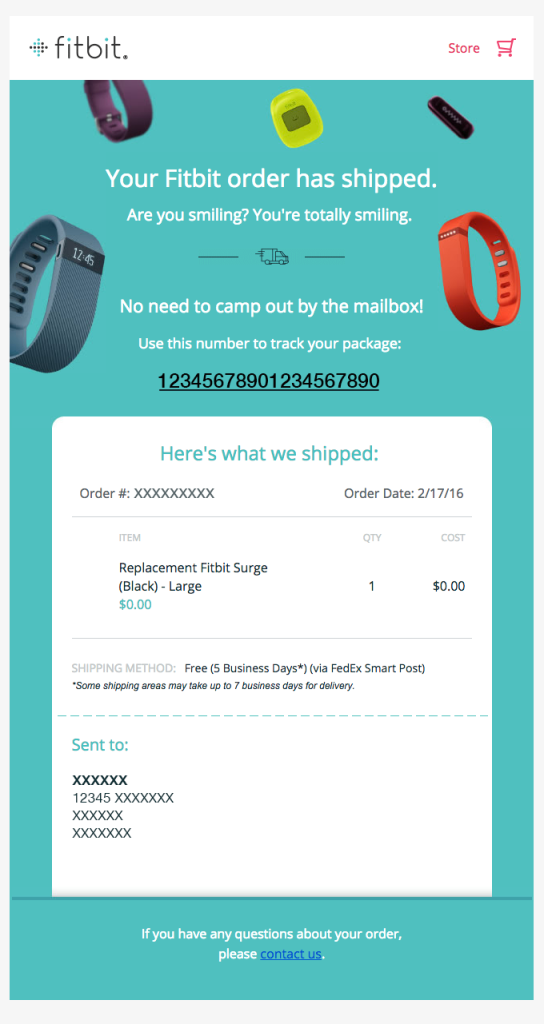
After order confirmation, this is the update customers look forward to the most: “Your order has shipped.”
You send this out once you’ve finished preparing their order, and it’s on its way to the recipient.
This message reassures your customers that you didn’t miss their order, and it can boost customer satisfaction. Plus, it sets the stage for all your other shipping communications.
Template:
[Subject: Your order is on its way]
Good news! Your order just shipped and is headed your way. 🎉
Track your package:
[Tracking Link] (Tracking #: [Tracking Number])
Order details:
Order #: [Order Number]
Items: [Item Name] × [Quantity]
Shipping method: [Shipping Method]
Estimated delivery: [Date range]
Shipping to: [City, State] ([ZIP last 4]).
Need to update? Edit it here [Link].
Questions? Contact us at [Support Link/Email].
Example:
3. Out for Delivery Alert
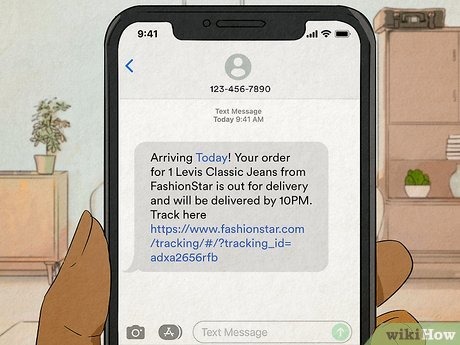
Next to order shipped confirmation is an “Out for Delivery” alert.
This notification tells your customers the package is arriving that day. And that allows them to make arrangements and be available to receive their order. If you time this well, you can reduce failed attempts and lower theft risk.
Besides that, successful first-time deliveries can also help you avoid redelivery-related costs and keep your customers happy.
PRO-TIP: Use SMS to send this alert, as it works much better for time-sensitive updates than emails.
Template:
On the way today! Your order [Item Name/Order Number] from [Store Name] is out for delivery and should arrive by [Time].
Track your package: [Tracking Link]
Example:
4. Package Delivered Successfully
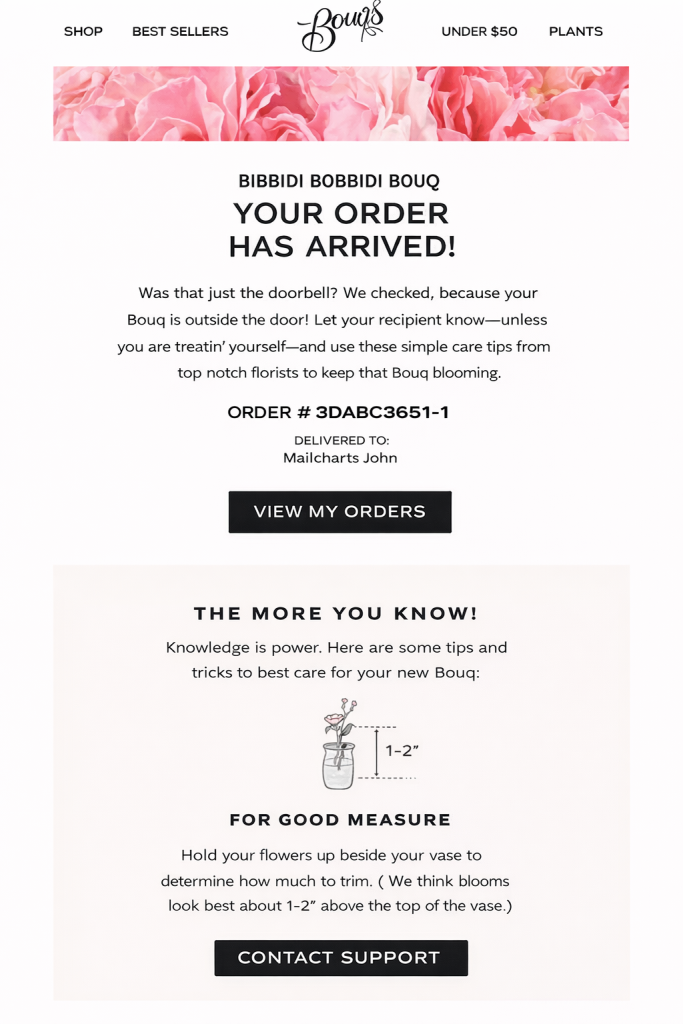
Notifying your customers that their order has arrived confirms successful delivery and also wraps up the shipping process.
You can also use this chance to set the tone for unboxing and offer a positive experience. Add care instructions, FAQs, or helpful tips to help them enjoy and use your product better. Doing this can help reduce returns and complaints about the quality.
PRO-TIP: This is the perfect time to “subtly” ask for reviews or social shares. Add a link to your review page or include a simple “Tag us in your unboxing!” at the end of the email.
Template:
[Subject: Your order #xxxxxx has arrived]
YOUR ORDER HAS ARRIVED!
Good news. Your package just landed on your doorstep!
ORDER #: [Order Number]
DELIVERED TO: [Customer Name]
[VIEW MY ORDERS]
GETTING THE MOST FROM YOUR PURCHASE
Here’s what you need to know to get started:
[Insert care instructions or tips]
Make sure your items match the list we provided in your order confirmation. If anything is missing or damaged, please reach out to us within 48 hours.
[CONTACT SUPPORT]
Example:
5. Shipment in Transit With Delays
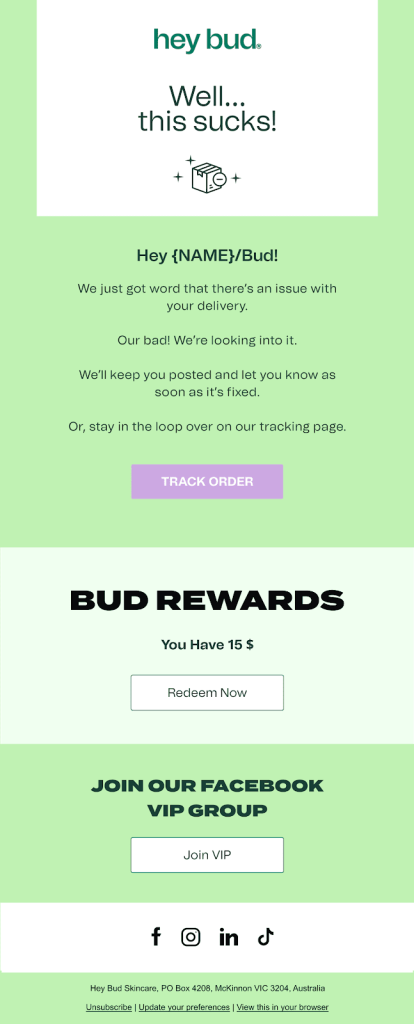
If the package encounters any delay, you must communicate it to your customers right away.
This is what this shipping notification is for. Send it to let customers know there’s an issue with their order, apologize for it, and show that you’re handling the situation. Including a small reward (like a discount) can also ease their discontent.
Being upfront about delays before customers notice prevents negative reviews and messages. Plus, it can also help you avoid lost revenue because of refund requests.
Template:
[Subject: Update regarding your order #xxxxxx: It’s delayed]
Hey [Customer Name]!
We’re sorry to let you know that your order is running behind schedule. We are actively working with the carrier to resolve this and will send you a follow-up email as soon as we have a new delivery date.
In the meantime, you can track your package here
[TRACK YOUR ORDER]
A small token of our apologies: While we work on the delay, we’d like to offer you $10 off your next order.
[REDEEM $10 DISCOUNT]
Thanks for your patience!
Best, The [Store Name] Team (Questions? Just reply to this email.)
Example:
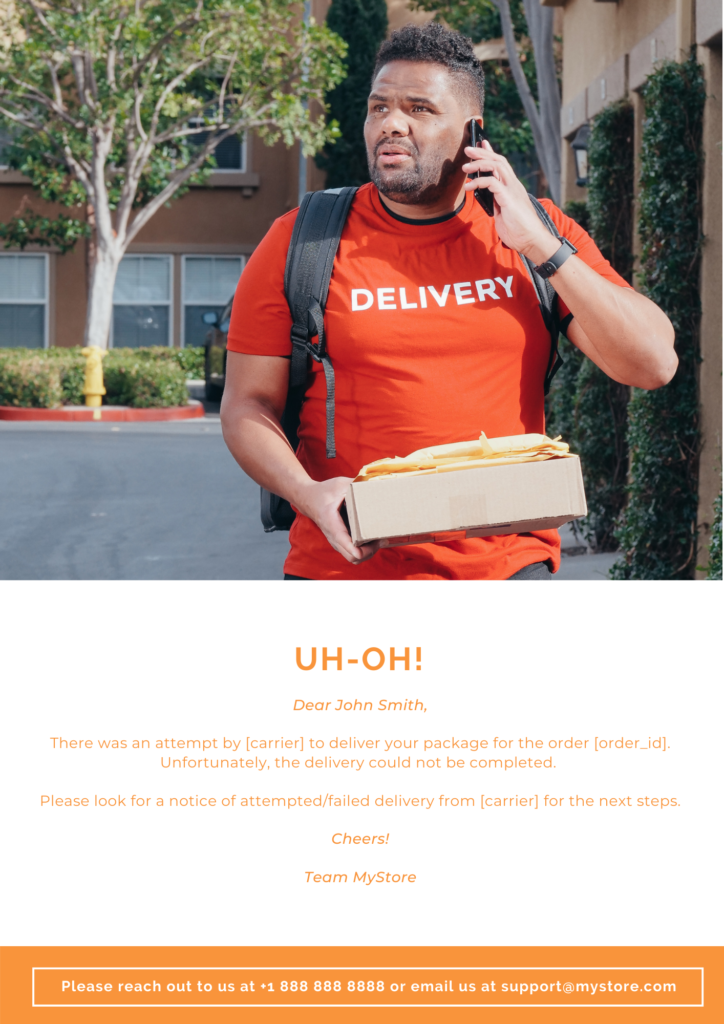
6. Failed Delivery Attempt Notification
Failed delivery attempts can cost you extra carrier fees and return shipping charges. Even if it’s not your fault, you’re the one responsible for making the next try successful.
You can send this notification to mention the delivery attempt and follow it up with instructions on how to receive (or claim) their package.
Trigger this notification as soon as you learn of the failed attempt. That will give your customers enough time to retrieve it before it gets sent back to you.
Template:
[Subject: Action Required: Failed delivery attempt for order #xxxxxx]
Dear [Customer Name],
[Carrier name] tried to drop off your package today (Order #[Order Number]), but couldn’t complete the delivery.
Please check for a delivery notice left by [Carrier Name] with instructions for your next steps. Thanks!
Feel free to contact us at [phone] or email us at [support email].
Example:
7. Predicted Delay Warning
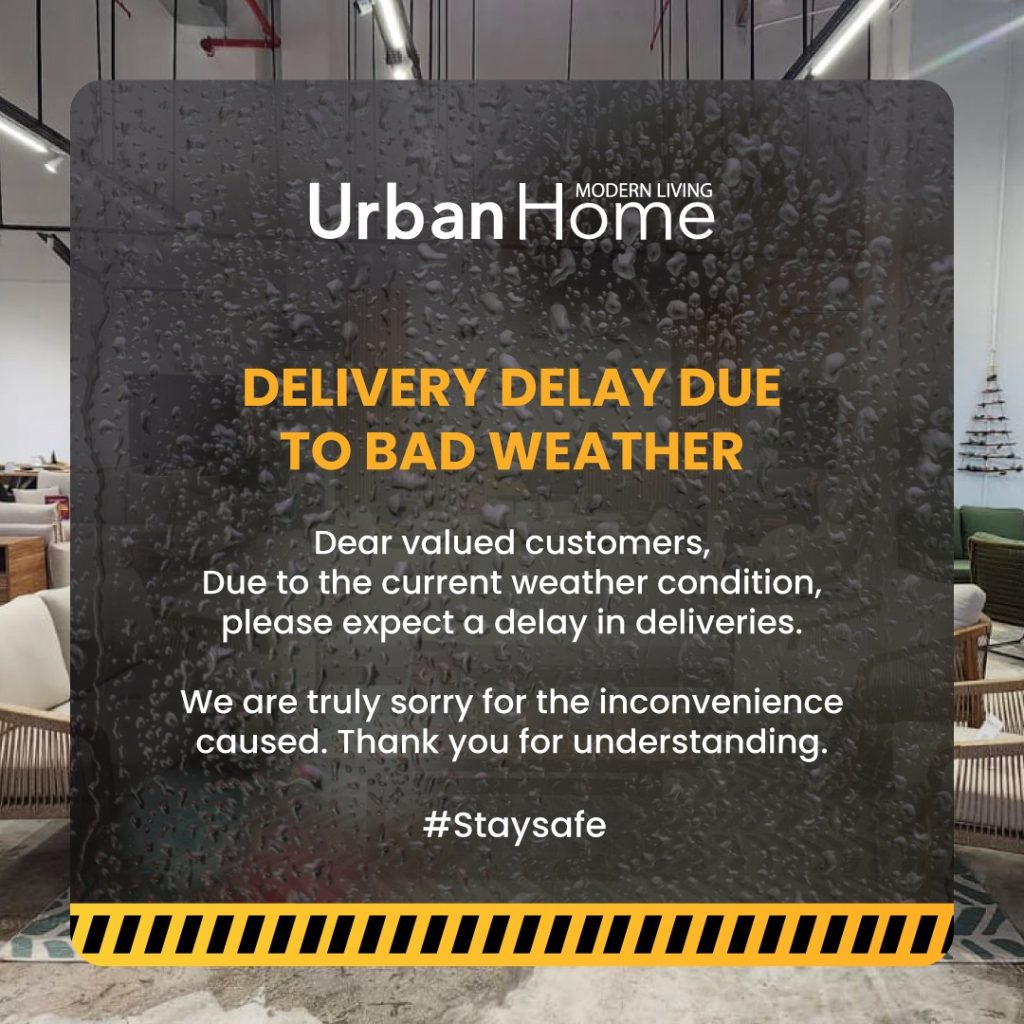
Weather forecasts and carrier data help you see possible delays before they affect your packages’ progress. In this case, you can provide warnings in advance to let your customers know that their orders might arrive later than the original plan.
Early warnings like this help customers be more patient while waiting for their delivery. Since they know the current situation, they are much more likely to accept the delay without complaining. Your proactive action can also help you build stronger customer loyalty.
Template:
Hi! This is [Store Name]. Due to the winter storm, your delivery may be delayed for a few days. We’re sorry this happened and appreciate your patience. Stay safe out there!
Example:
8. “Tracking info hasn’t updated”
If you notice a shipment hasn’t been updated in days, you have to notify your customers right away.
Mention the unchanged status and your next step. You can say that you’re already verifying the issue with the shipping carrier. But of course, this should be supported by real action.
Your customers might appreciate this gesture as you show that you actually care about them, and not just their purchase.
Template:
[Subject: Still monitoring your order #xxxxxx: Here’s what we’re doing]
Hi [Customer Name],
We’re keeping a close eye on your order #[Order Number], as our records show the tracking status hasn’t been updated in a few days.
We know waiting isn’t fun, and we apologize for the silence from the carrier. We’ve already reached out to them to investigate the status of your package and ensure it’s back on track.
No action is needed from your side right now. We’ll follow up with you as soon as we have more information.
Thank you for your patience!
9. Confirmed Lost or Damaged Package
Now, once you’re 100% sure that the package is lost, it’s time to come clean and do damage control.
Send this notification to confirm what really happened and offer refunds or replacements to your customers. You can still save the relationship if you do a great job in handling this mess quickly and honestly.
PRO-TIP: Offer something extra with the replacement (like expedited shipping) or with the refund (like a discount code). This small gesture can turn an angry customer into a loyal one.
Template:
[Subject: So sorry! We have an update regarding your order #xxxxxx]
Hi [Customer Name],
[Carrier] has confirmed that your package was lost in transit, and we’re truly sorry this happened.
We would like to offer you two options:
Option 1: Send you a replacement with free express shipping (should arrive in 2-3 business days)
Option 2: Process a full refund to your original payment method
Just reply with “1” or “2”, and we’ll take care of the rest.
Order #: [Order Number] | Tracking #: [Tracking Number]
If you have any questions, feel free to reply here.
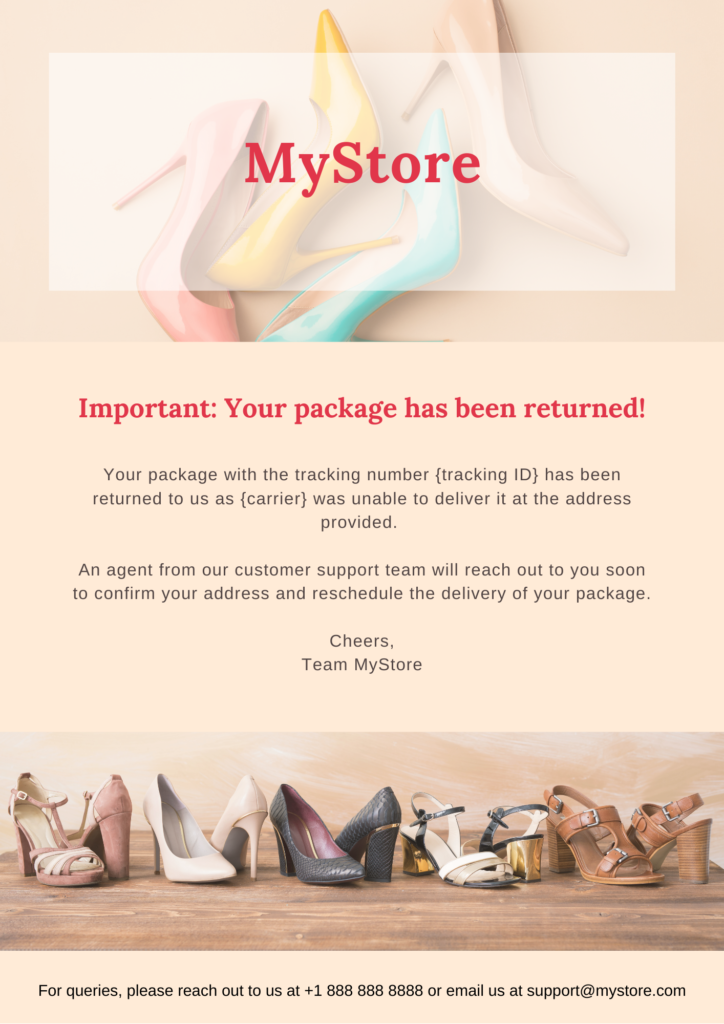
10. Return to Sender Due to Delivery Failure
Package returns create extra costs since you’ve already paid for shipping both ways. This notification helps you avoid repeating the same expensive cycle.
Send it to let customers know their package came back and ask them to confirm or update their delivery information. When customers fix address issues or delivery instructions right away, you can reship successfully on the first try.
Template:
[Subject: IMPORTANT: Your package came back to us!]
Hi [Customer Name],
We’re reaching out to let you know that your order #[Order Number] was recently returned to our warehouse. The carrier was unable to complete the delivery to the address provided.
This usually happens due to a missing apartment number, an inaccessible delivery location, or an incomplete address.
What happens next? Please reply to this email to confirm your correct shipping address. Once verified, we’ll arrange a new delivery for you right away.
Example:
11. Return Request Approval/Rejection Notice
Sending a return request approval is easy. But saying no? That’s the hard part. Either way, the goal is the same: be clear, be fair, and make the next step obvious.
For approved requests, confirm the decision and outline the next step (e.g., label issued, drop-off instructions, or the return window).
But for rejected requests, keep it concise. Reference the specific policy reason (and avoid “doesn’t meet requirements” as the explanation), link to your return policy, and give the customer a clear path forward.
That can be contacting support if they believe it’s a mistake, or offering an alternative (exchange, store credit) when appropriate.
Template:
Hi, [First Name]. Your return request for Order #[Order Number] is approved. Check your email for the label and drop-off instructions: [Link]
Hi, [First Name]. We reviewed your return request for Order #[Order Number]. We’re sorry, but it’s not approved based on our return policy. View details here: [Policy Link]. Need help? [Support Link]
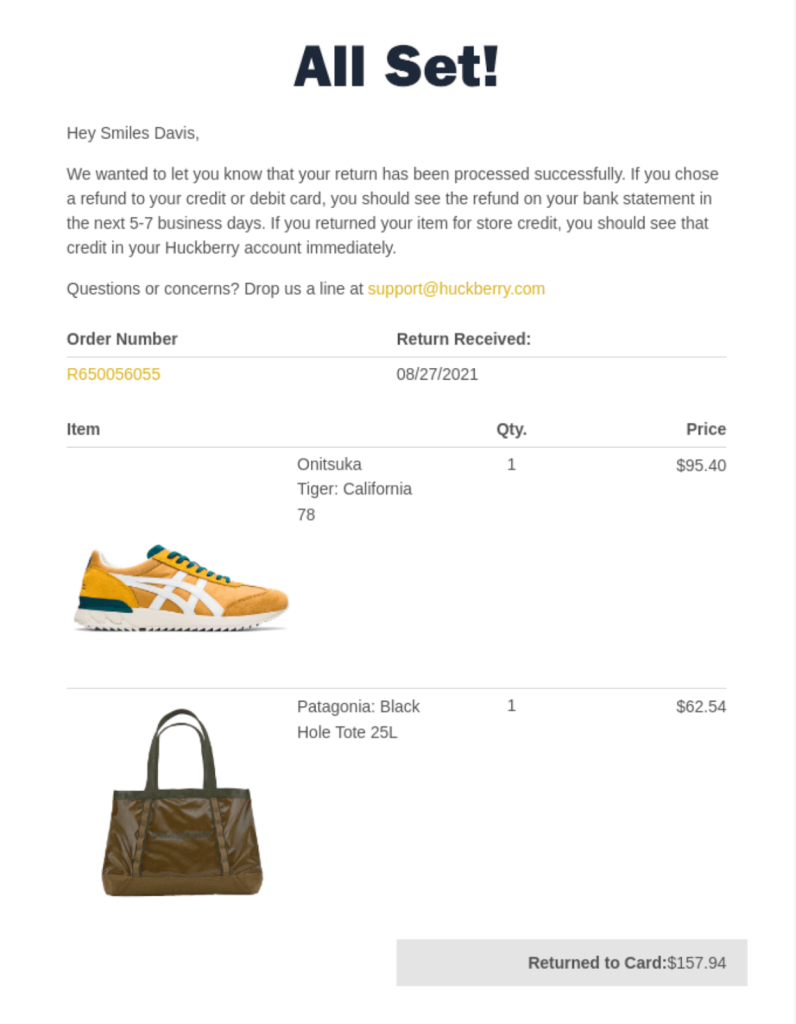
12. Returns Received and Refund Processing
The last shipping notification is also your last chance to turn a return into a positive experience.
Send this notification once you’ve processed their return and issued the refund. It shows you follow through on your promises and handle returns professionally.
When customers see that you make refunds quick and painless, they’ll trust your business more and become repeat buyers. Plus, they’re more likely to leave positive reviews about your customer service.
Template:
[Subject: Refund confirmed for order #xxxxxx]
Good news! We’ve received your return and processed your refund for order #[Order Number].
Refund Summary:
Total Refunded: $[Amount]
Return Received: [Date]
Items Returned:
[Item Name] – Qty: [#]
[Item Name] – Qty: [#]
When will I receive it?
Original Payment: You should see the funds in your account within 3-5 business days.
Store Credit: If you chose this option, it’s already available in your account.
Need help? Just reply to this email or contact us at [email].
Example:
Best Practices for Sending Shipping Notifications
Now that you know the 12 critical types of shipping notifications, the next step is sending them effectively. Using shipment tracking software lets you monitor all carriers and trigger notifications automatically.
With the right system, follow these six best practices to keep customers informed and improve their delivery experience.
1. Automate Milestone Notifications
Set up your tracking software to send updates at each key stage, such as shipped, out for delivery, and delivered.
Automation ensures alerts go out the moment a carrier scans the package. By removing manual delays, you give customers the real-time info they need to stay on top of their delivery.
This improves the customer delivery experience while reducing the risk of package theft and the delivery disputes that come with unattended orders.
2. Customize Emails for Each Delivery Milestone
Then, create templates for each delivery stage.
Write each message based on what the customer needs at that moment. For example, a shipped email should include shipping details and a tracking link, while an out-for-delivery email can highlight timing and delivery instructions.
Also, add your logo and brand colors to each template to maintain brand consistency.
3. Use the Right Channel for Each Notification
Next, choose the right channel for each type of notification.
Send urgent updates like out-for-delivery alerts via SMS, as customers check texts quickly. Use email for detailed updates, such as refund processing or exceptions. Matching the notification type to the channel increases the chances customers will see the message.
4. Handle Delivery Exceptions Proactively
Don’t wait for the customer to discover a delay on their own. Use automated triggers to flag exceptions—like customs holds or failed delivery attempts, so you can reach out before the customer has a chance to worry.
Transparency is your best defense: explain the situation, provide a revised timeline, and clearly state your next steps. If the delay is serious, offer compensations like a discount, free shipping credit, or a partial refund to maintain customer trust.
By this way, you transform a potential frustration into a moment of proactive service that reinforces brand trust and protects customer loyalty.
5. Leverage Shipping Notifications for Customer Retention
Shipping notifications often see the highest open rates in e-commerce. Capitalize on this attention by turning tracking updates into retention tools.
Integrate personalized product recommendations or “Buy It Again” prompts to inspire future orders. Once the package arrives, leverage the “unboxing” momentum to collect social proof or reviews.
The key is balance: keep marketing secondary to the delivery info to ensure the customer’s primary need is always met first.
6. Integrate Tracking Software with Email Platform
Connecting your tracking software to an email platform adds advanced capabilities.
It allows you to manage customer segments, delivery events, and multiple languages within a single workflow. By setting specific rules, you can seamlessly blend real-time shipping updates with personalized marketing campaigns.
Furthermore, you gain access to performance metrics like open and click rates, which reveal what matters most to your customers. Use these insights to optimize your content and build a data-driven email strategy that scales alongside your brand.
Conclusion
When customers consistently receive clear and proactive updates, the benefits extend beyond individual orders. Satisfied shoppers are more likely to return, share positive feedback, and prefer your brand over competitors.
In this way, investing in the post-purchase experience can strengthen loyalty and give your business a competitive edge.
TrackingMore, as a shipment tracking platform, provides a complete solution to automate and elevate your customer delivery experience. It consolidates real-time data from hundreds of carriers to trigger automated notifications at every delivery checkpoint. You can fully customize timing and content to match your brand needs.
By integrating our tracking API into your systems, you can set up a smooth shipping email management workflow.
The TrackingMore team shares insights on logistics tracking technology, industry trends, and e-commerce logistics solutions to help businesses streamline shipment tracking and enhance customer post-purchase experience.