Shipping emails have one of the highest open rates in ecommerce. According to Omnisend’s data, they average 62.47% because customers actively look for them to get updates for their orders.
If customers can’t receive timely shipping updates about their orders, they will feel anxious, and your support inbox starts filling up with “Where is my order?” queries.
In this article, we’ll talk about the importance of shipping emails and strategies you can apply to increase their conversion rates.
How Shipping Confirmation Emails Boost Your Business
Shipping emails can help merchants achieve the following business results:
- Reduce support costs: Clear shipping updates answer customers’ silent questions about order status and reduce their anxiety. That cuts down WISMO inquiries because there’s less need to contact support.
- Build customer trust and loyalty: Customers like honest updates way more than no updates during delays. They trust brands that are transparent and feel less frustrated when they know what’s really happening. Keep this up, and you’ll earn more loyal customers.
- Increase customer engagement: Merchants send shipping emails multiple times. Each update gives a chance to include helpful content like care instructions, FAQs, or tips. And they can also be used for product suggestions to score additional sales (without making it feel sales-y).
Essential Elements Every Shipping Email Must Include
Every shipping email should cover these four essential details:
Subject Lines
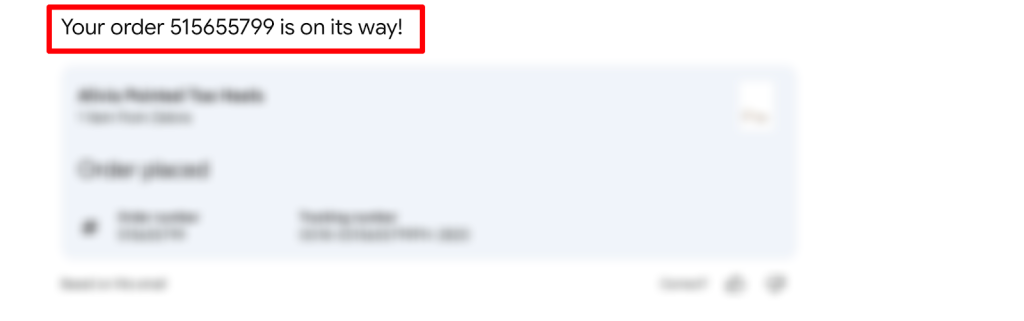
Your subject line should clearly reflect the shipping status update so the recipient can understand the content from there. For orders being shipped, use “Your order is on its way!” or “Order #[Number] has shipped.” Adding numbers is especially helpful for customers with multiple orders pending.
Unlike marketing emails, avoid using promotional language like “50% off your next purchase.” That can confuse your customers and make them hesitate to click.
Opening
This part should simply repeat the shipping confirmation from your subject line. The first sentence should tell customers their order has shipped, is delayed, or has been delivered right away.
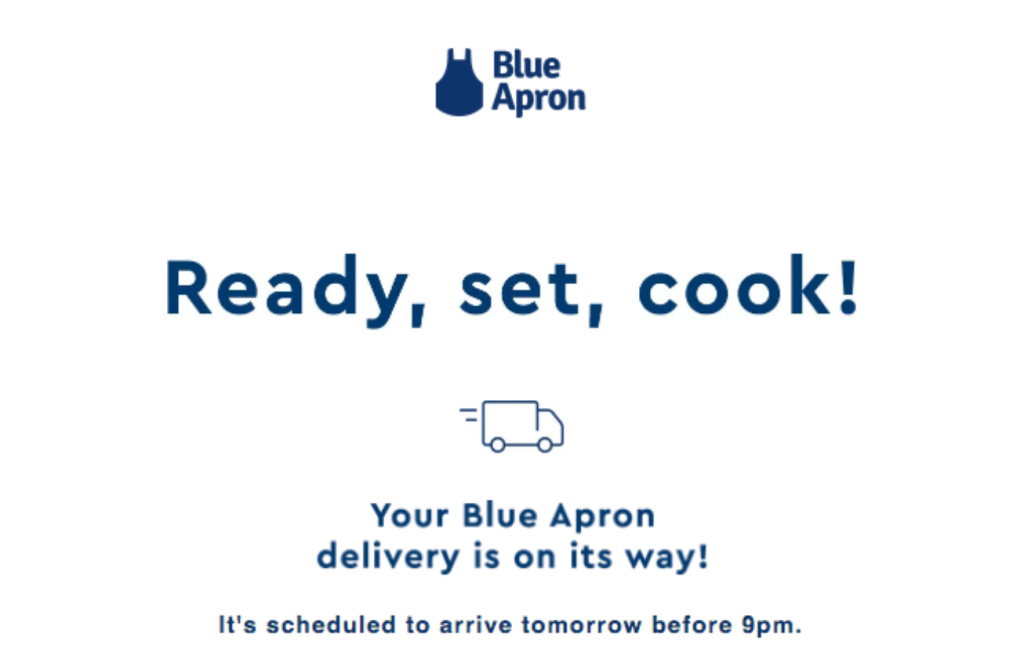
No need for storytelling or long introductions here. Since shipping emails are transactional emails, their main role is to deliver clear, time-sensitive information. So, they have to be concise.
Body
Shipping information is the main reason you’re sending this email. And here are the key details you should include:
- Tracking number with a clickable link: Let customers check the real-time status of their packages with one click
- Order details (number, date, and order status): Helps customers identify which package this is and the current progress
- Carrier name: Shows who’s handling delivery (FedEx, UPS, USPS, etc.)
- Shipping method: Ground, express, overnight, etc.
- Estimated delivery date: Sets expectations for when the package arrives
- Item summary: Quick list of what’s in the shipment
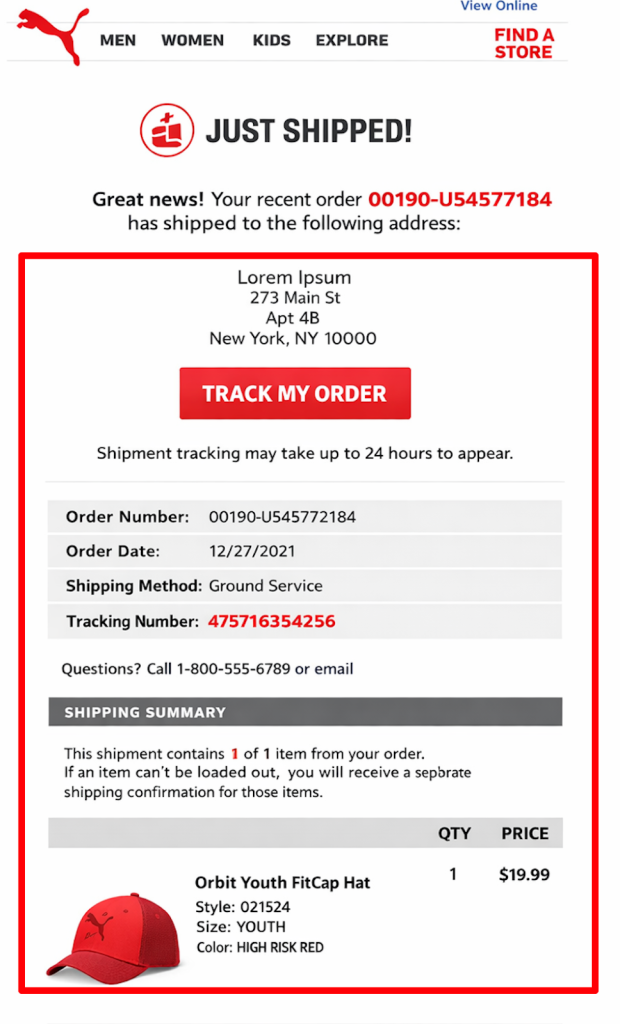
Group these details together to make them easy to scan. With this info, customers can see the current status and access tracking details at a glance.
Closing
After you lay out all the important shipping details, it’s time to end the email. But besides your brand signoff, you can still make this section helpful for customers. For example, you can answer common questions your customers might have or add contact support details.
5 Tips for Creating High-Converting Shipping Emails
We’ve covered the important elements of shipping emails. Now, it’s time to show you some tips that can help you build high-converting ones:
1. Write Clear, Scannable Content
When creating shipping confirmation email templates, follow the “5-second rule.” Customers should find everything they need (tracking info, shipping details, etc.) within moments of opening the email.
You also have to structure the details from the most important to the least important. Check out the list we shared on the “Core Shipping Information” section. We made that based on priority order.
Using visual hierarchy even for short emails is a good practice. Make the tracking number bigger and use lines to separate sections. Colored CTA buttons for the main action or the next step can also help direct your customers.
2. Manage Delivery Expectations
Let’s start with the expected delivery dates. Customers prefer specific dates (“Arrives by March 17-19”) to date ranges (“1-3 business days”) because it allows them to plan their schedule and know exactly when to expect their package.
If you want to provide more accurate delivery dates, you can use AI to generate dynamic estimates. As orders move through transit, AI updates the estimated delivery in real time, taking into account carrier performance, transit delays, weather disruptions, and customs issues.
Even when exceptions occur, timely updates help build trust. Notifying customers promptly about delays or issues shows that you’re on top of their order and keeps them confident in your service.
3. Personalize Beyond Basic Details
Adding relevant info about the product (or your brand) makes your shipping emails more personalized.
Imagine that you sell home textiles like bed linens and carpets. Including simple care instructions with images helps buyers understand how to maintain the product’s quality. Customers will appreciate this extra guidance and feel better supported after checkout.
For upsells, many customers feel more comfortable if they sound friendly and suggestive. You can add “You may also like” or “Complete your set with” sections to suggest items that complement their order.
4. Maintain Brand Consistency
Your shipping emails should feel like a natural extension of your brand. If the tone changes, customers may feel some “disconnection.”
Stick to the same brand voice they are already familiar with. Lifestyle brands can keep things casual and friendly, while B2B companies should stay clear and professional. This should extend even to small details. Using “Cheers” as a sign-off feels more natural for a relaxed brand, while “Respectfully” can sound strange or stiff.
Keep the visual style consistent as well. Using the same colors, fonts, and button styles helps customers recognize your emails right away. Familiar cues make customers feel more comfortable engaging with your emails and are more likely to click, read, and return to them.
5. Optimize for Mobile Devices
Red Stag Fulfillment’s Ecommerce sales report mentioned that mobile devices generate 57% of all global ecommerce sales in 2024.
Since that’s the case, you should prioritize optimizing your shipping emails for mobile interaction. Here are some ways to do it:
- Use single-column layouts for your shipping emails: With this, all content will be readable and will fit the screen.
- Create clickable buttons and links: They should be at least 44×44 px minimum so your customers can easily tap them. You can also add quick links like “Track your package” or “Contact support” for accessibility.
- Choose responsive templates for your emails: These maintain proper formatting and readability on all devices. Your customers will be able to view shipping emails on phones, tablets, or desktops without any issues.
Best Examples of Shipping Emails
Here are four best shipping confirmation email examples you can get ideas from:
SHEIN
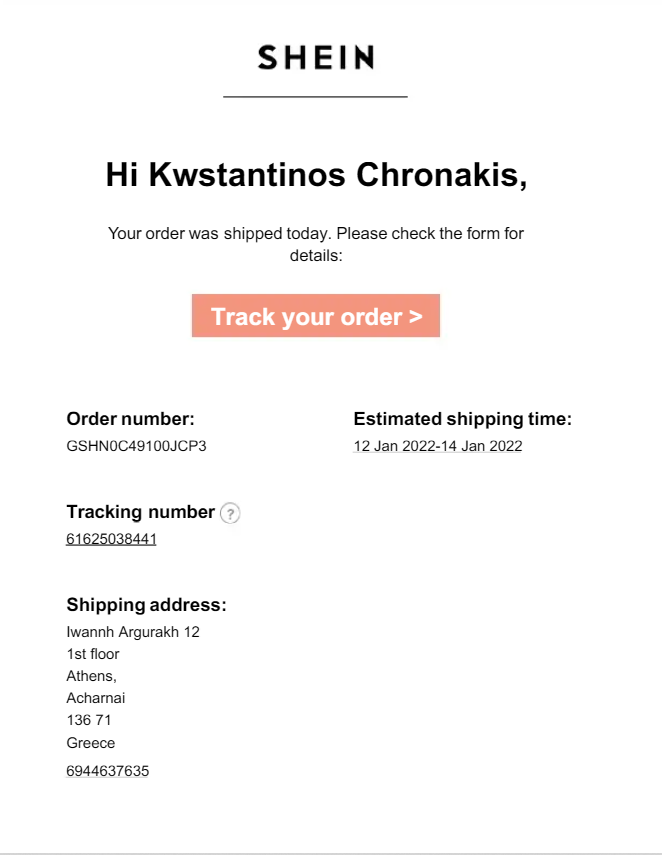
SHEIN gets straight to the point with “Your order was shipped today” right at the top. The orange “Track your order” button is easy to spot, so customers can find the tracking information quickly.
Everything customers need is listed clearly: order number, delivery window, tracking number, and shipping address. The email stays focused on shipping details without adding promotions or other distractions.
Patagonia
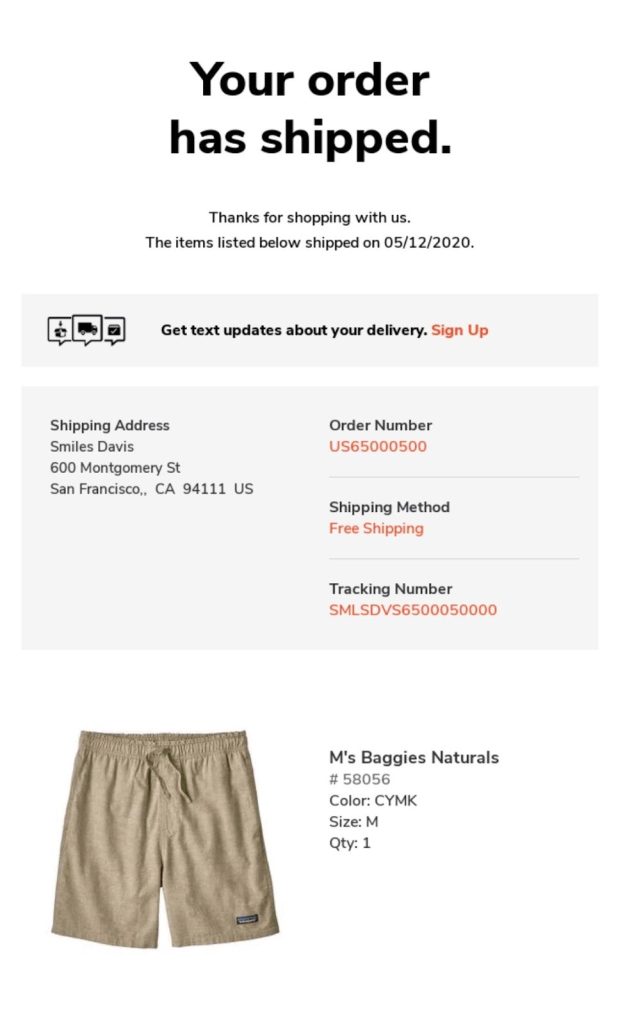
Patagonia’s shipping email is longer than SHEIN’s, but they only added relevant information. Besides the shipping details, it also added an option to sign up for text updates. This subtle action gives customers a faster way to stay informed (without having to actively check their email).
It may not be visible in this example, but they added more useful and personalized elements like links to care instructions and their environmental mission. It’s a great way to engage with customers through highlighting unique value.
Crocs
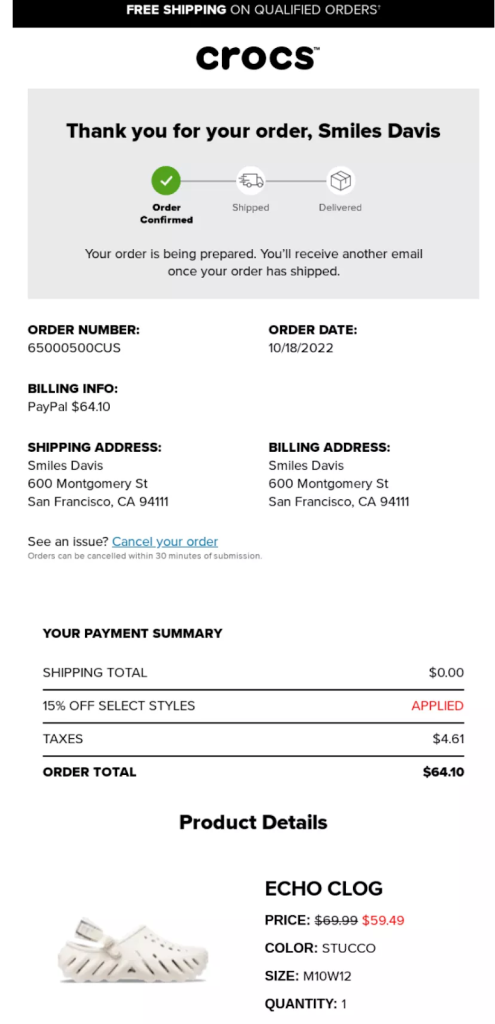
Paddywax
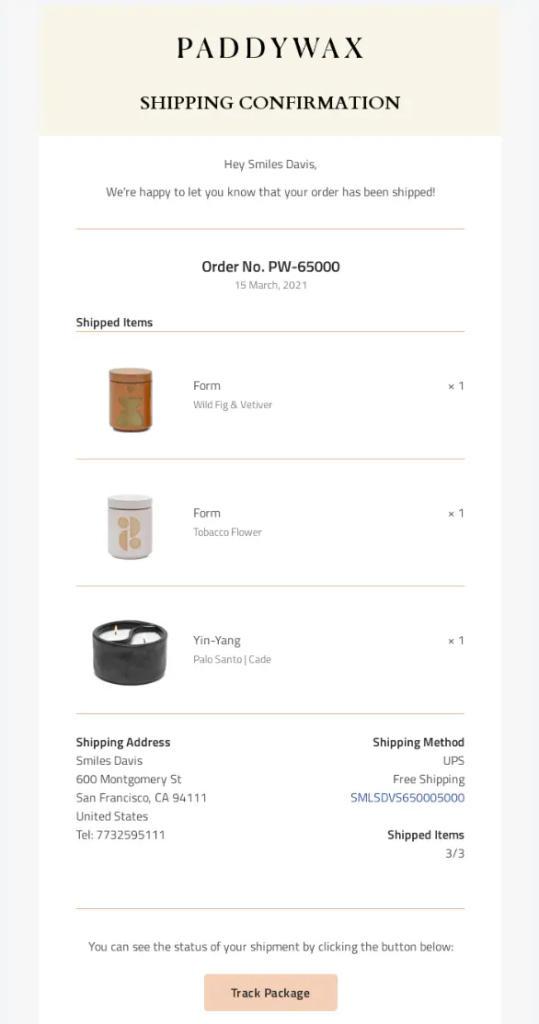
We picked this from Paddywax as it’s a great example of a standard confirmation email. It shows all the information customers need (in one look), like the order number, shipped items, shipping address, and delivery method. It also ends the email with a visible “Track Package” button to help customers track their orders easily.
Conclusion
The loyalty battle in the customer journey happens during the first “48 hours” after purchase. It’s when buyer’s remorse peaks. This is your time to show customers they made the right choice by staying present during delivery and setting the tone for future purchases.
High-converting shipping emails give customers exactly what they want: clear tracking information, estimated delivery dates, and relevant order details, all presented in your brand’s voice. Also, make it easy for customers to track their order with a prominent “Track Your Order” button or direct tracking link.
With a shipment tracking platform like TrackingMore, you can automate shipping notifications to provide a seamless delivery experience. It also allows you to customize email templates for each delivery status, set up automatic updates, and proactively alert customers to delays or issues.
Easton has 3 years of experience researching and writing about e-commerce and logistics. She enjoys sharing the latest industry trends and insights with readers.